
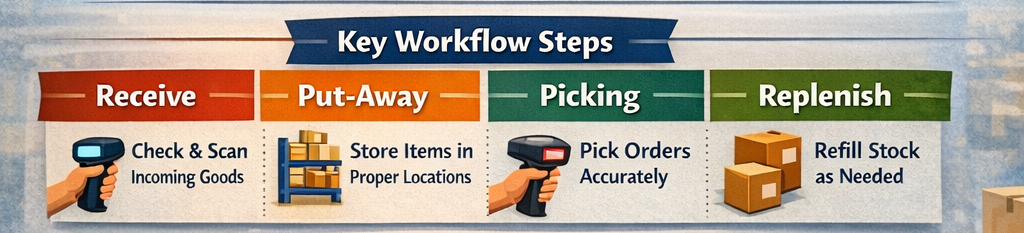
Introduction
A strong inventory workflow keeps goods moving smoothly from inbound receiving to final replenishment. When each step is clearly defined and connected, teams make fewer mistakes, work faster, and keep stock levels more accurate.
Why Workflow Design Matters
Inventory problems usually come from process gaps, not just software issues. If receiving is sloppy, put-away is inconsistent, or replenishment depends on memory, even the best system will struggle.
A well-designed workflow helps you:
- Reduce stock errors.
- Speed up fulfillment.
- Improve space utilization.
- Keep reorder decisions consistent.
- Make training easier for new staff.
1. Receiving
Receiving is the first control point in the workflow. This is where items are checked against purchase orders, quantities are verified, and damage or discrepancies are documented.
Best practices include:
- Scan items as they arrive.
- Match receipts to purchase orders.
- Flag shortages, overages, and damage immediately.
- Assign a temporary status until items are verified.
If receiving is accurate, every downstream step becomes easier.
2. Put-Away
Put-away is the process of moving received items to their storage location. A good put-away workflow reduces wasted motion and keeps inventory organized in ways that support speed and accuracy.
Best practices include:
- Use location rules based on item type, velocity, and space.
- Guide staff with mobile prompts or scanner instructions.
- Confirm storage location with a scan.
- Separate fast-moving items from slower stock.
Put-away should not rely on memory or ad hoc decisions, because that leads to lost stock and inefficient picking later.
3. Picking
Picking is where the warehouse or storage operation turns inventory into customer orders, production kits, or internal requests. This step has a huge impact on fulfillment speed and accuracy.
Best practices include:
- Generate optimized pick lists.
- Group picks by zone, route, or wave.
- Require scan confirmation for each item.
- Handle substitutions and exceptions through a defined process.
A good picking workflow saves labor and reduces shipping mistakes.
4. Replenishment
Replenishment keeps pick faces, bins, and stock locations supplied before shortages happen. Without a clear replenishment rule, teams often discover empty locations too late.
Best practices include:
- Set min/max levels or reorder points.
- Trigger replenishment automatically when thresholds are reached.
- Separate replenishment tasks from customer picks when possible.
- Monitor slow and fast movers differently.
Modern systems can use demand patterns and usage rates to improve replenishment timing.
Connecting the Steps
The best inventory workflows are not isolated steps; they are one connected system. Receiving updates inventory availability, put-away places stock correctly, picking removes it accurately, and replenishment restores balance before shortages occur.
A simple connected flow looks like this:
- Receive and verify stock.
- Put items into approved locations.
- Pick from the correct locations.
- Replenish based on demand and thresholds.
- Review exceptions and adjust rules.
Common Mistakes
Many inventory workflows fail because they are built around manual habits instead of clear logic.
Watch out for:
- Unclear ownership of each step.
- Too many manual handoffs.
- Poor location labeling.
- No exception handling for damaged or missing items.
- Replenishment based on guesswork instead of rules.
Conclusion
An end-to-end inventory workflow works best when every step is defined, tracked, and connected. By improving receiving, put-away, picking, and replenishment together, you create a system that scales with your business instead of slowing it down.